Start a solo run, punch a tree with your hands, collect its fallen logs and sell them beside the orange chipper. Look for the Sell Logs sign and the wooden pad with black-and-yellow edging. When the CLICK SELL prompt is shown, click it. Use the cash from your early loads to buy Hold and work toward the Axe inside the Tool Shop cabin.
Gameplay reviewed: 15 October 2026. This guide uses recorded PC gameplay and named video sources below. The wiki has not playtested the game. Prices and controls pictured here belong to those recorded runs.
1. Create your first run
- Find Start a Run in the lobby and step onto a party pad.
- In Create Party, select Normal.
- For solo play, use the Party Size controls to choose 1.
- Select Create and wait for the teleport.
Check the party size before creating the run. Clout Brothers' walkthrough shows the solo setup at 1:44–1:55.
2. Cut your first tree with your hands
Approach a tree and click to punch it. Watch the tree's health while you continue hitting it. You do not need to buy an Axe before starting.
After the tree falls, collect the loose logs. Check that the backpack counter increases: cutting a tree and picking up its wood are separate actions. Read the pickup prompt displayed by your game; the pickup key is not documented here.
The recorded beginner sequence starts with hands at 2:36 in Clout Brothers' video.
3. Find the sell pad beside the chipper
Return to the wooden selling area beside the orange chipper. The useful landmarks are the Sell Logs sign, the black-and-yellow edge around the wood pad, and nearby backpack displays on stumps. The Tool Shop cabin is a separate purchase location.
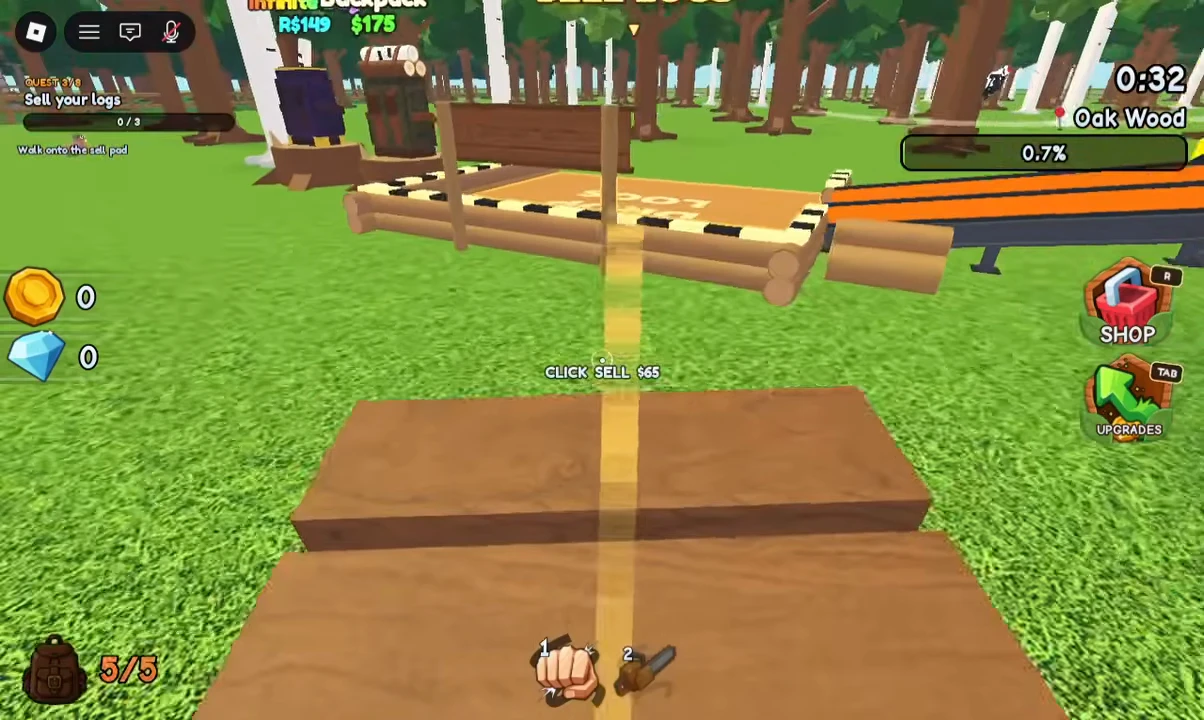
VendoPlus gameplay, 1:06: the PC frame shows a 5/5 load and CLICK SELL $65. That amount belongs to this recorded load. Image copy: Chop A Forest Wiki; reviewed 15 October 2026.
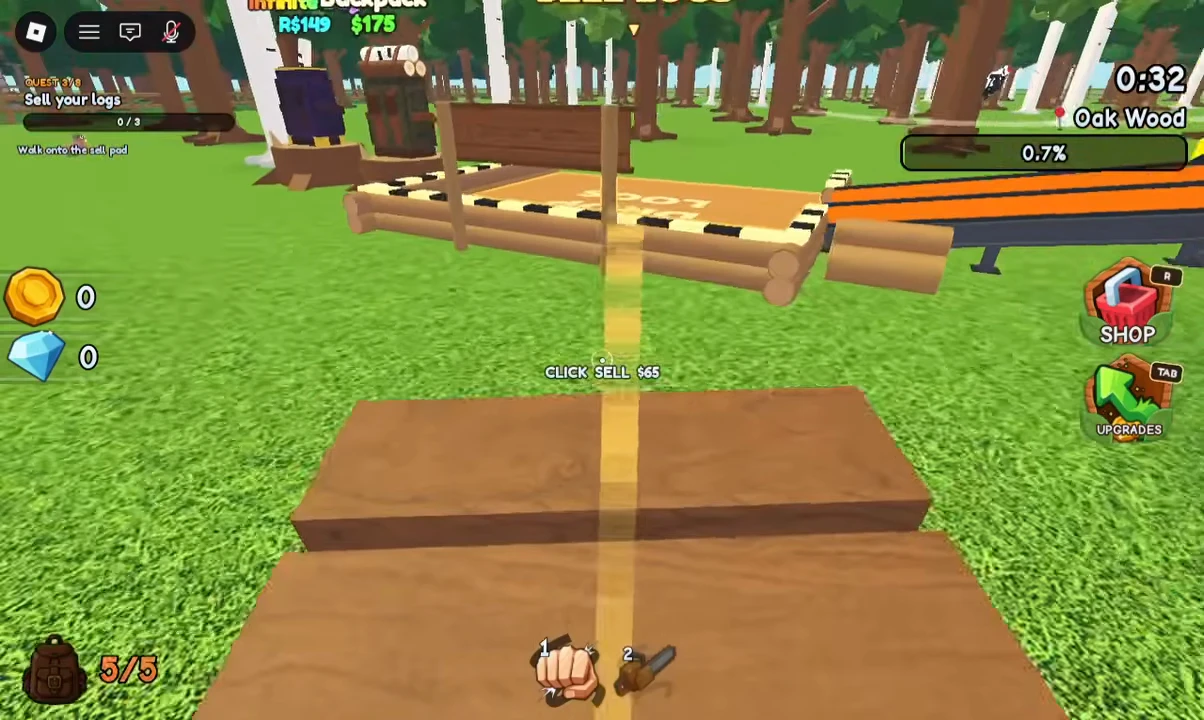
- Bring collected logs to the signed wood pad.
- Walk onto the selling area.
- Click CLICK SELL when it is shown.
- Check your load counter, the selling area and cash total after the action.
If the prompt is not shown or the sale does not behave as expected, follow the selling checks and troubleshooting guide.
4. Buy Hold to keep punching
Open Upgrades. The recorded PC interface labels its shortcut Tab.
Find Hold under the hand upgrades, read its price and buy it when you have enough cash. Its description says “Press and hold to keep punching.” After buying it, hold the input on your next tree instead of tapping for every punch.
Clout Brothers opens the menu and uses Hold at 3:09–3:34. Hold changes your hand input; the Axe is a separate purchase.
5. Find the Axe inside the Tool Shop cabin
Look for the large wooden cabin labelled Tool Shop, enter through its doorway and face the Axe mounted on the inside wall. Buying the Axe in this cabin is different from opening the right-side Shop menu.
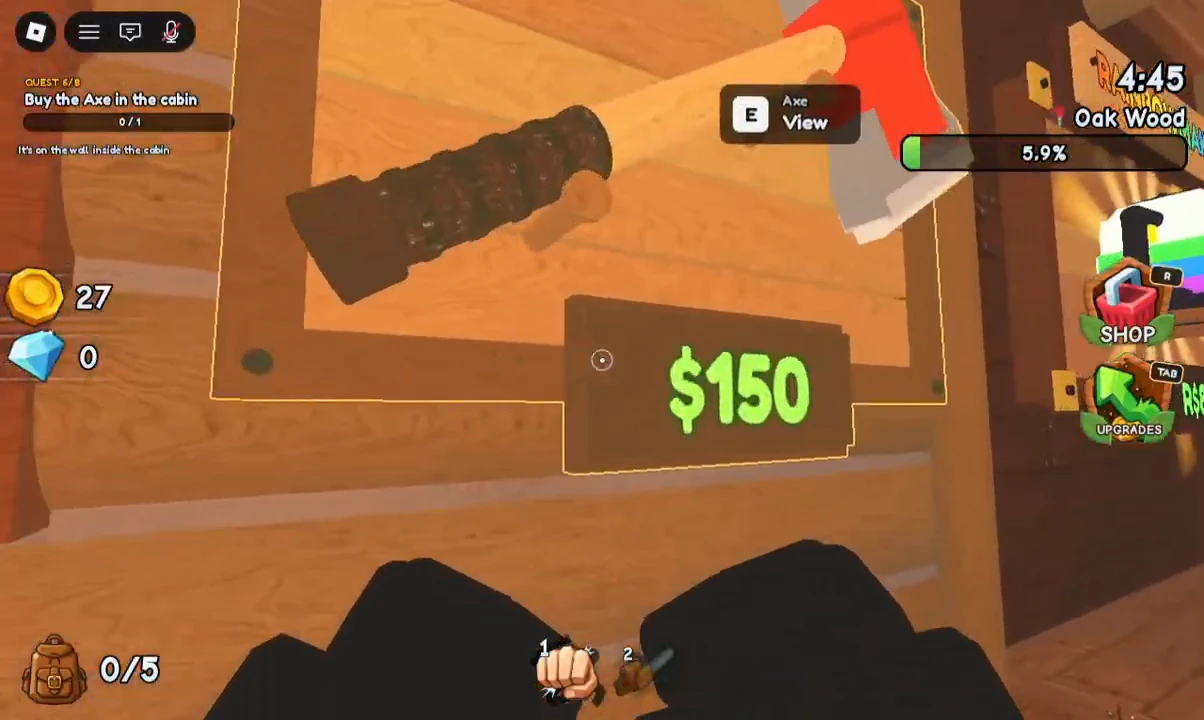
VendoPlus gameplay, 1:23: the wall display shows E — View and a $150 plaque. Image copy: Chop A Forest Wiki; reviewed 15 October 2026. Read your current purchase plaque before spending.
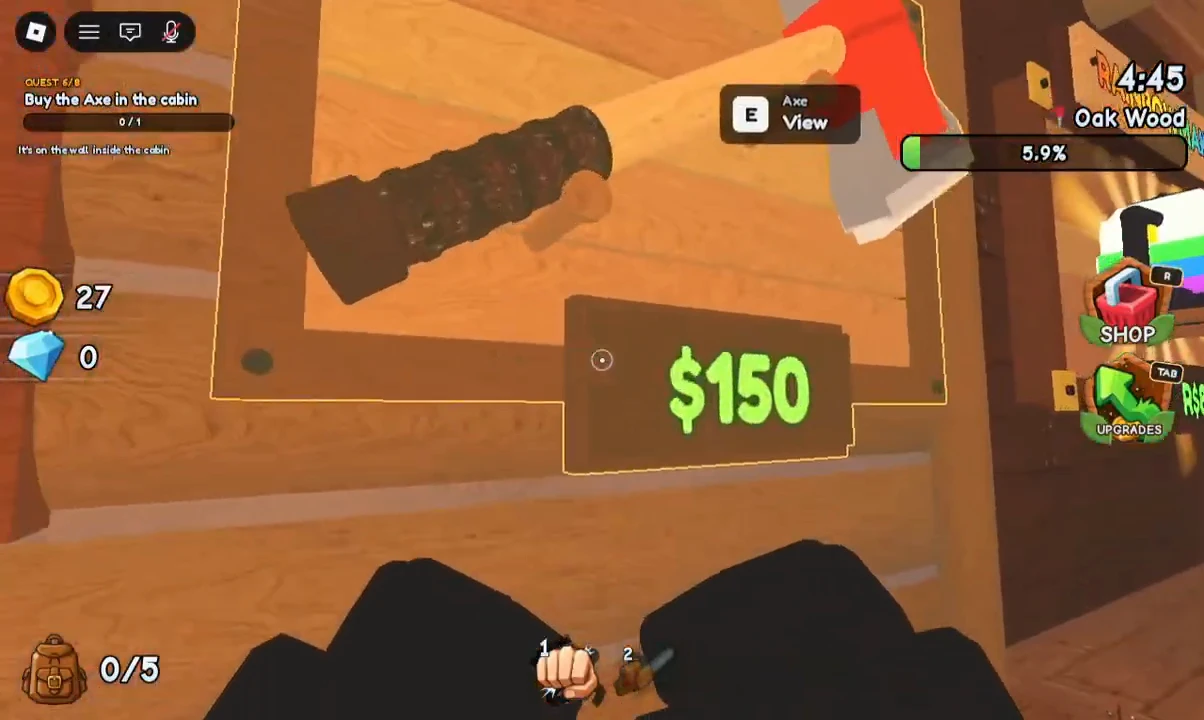
- Approach the wall display.
- On PC, use E when the View prompt is shown.
- Read the selected Axe's purchase card.
- Buy it when your cash covers the current price.
Clout Brothers also shows the cabin at 4:07 and the $150 wall display at 4:12. These are recorded price examples, rather than a promise that a later update keeps the same cost.
PC controls shown in the footage
| Task | Recorded PC control |
|---|---|
| Punch a tree with your starting hands | Click |
| Keep punching after buying hand Hold | Press and hold |
| Open Upgrades | Tab |
| Inspect the Axe wall display | E when View is shown |
| Sell a carried load at the pad | Click the CLICK SELL prompt |
| Open the separate Shop menu | R on the pictured interface |
Mobile and controller controls are not verified. The screenshots above show PC input labels. Use the interaction labels displayed on your device; this guide does not claim that tapping a particular screen area replaces E, Tab or the selling click.
A useful first-session checklist
- Start the party size you intended.
- Fell a tree, then confirm that you actually collected logs.
- Find the sell pad and complete one selling action.
- Try continuous punching after purchasing Hold.
- Find the Axe wall display and compare its price with your cash.
- Read your backpack load before heading farther into the trees.
For your next purchases, use the Tools & Items guide. It separates cutting tools, log collection, carrying gear and Forever offers.
Sources and limits
- Clout Brothers — first-run gameplay: solo setup, starting hands, selling area, Hold, Tool Shop and Axe display.
- VendoPlus — beginner gameplay: pictured selling prompt and PC HUD.
- VendoPlus — Axe and tool displays: pictured Axe location and E — View prompt.
- NoobBlox — progression walkthrough: an example route through Hold, the Axe, carrying upgrades and log collection.
The VendoPlus images were visually reviewed from the credited image copies. They are gameplay frames, not the wiki's own playtest screenshots. Mobile mappings, controller mappings, server-specific selling failures and later-update prices have not been verified.